Integration Suite - Security Material
Published: December 2025
This document assumes that SAP Integration Suite trial tenant is already available and fully provisioned. If this is not the case, please follow the instructions provided in this link.
Security material is used by iFlow Request Reply to login to external system.
Security Material - User Credentials
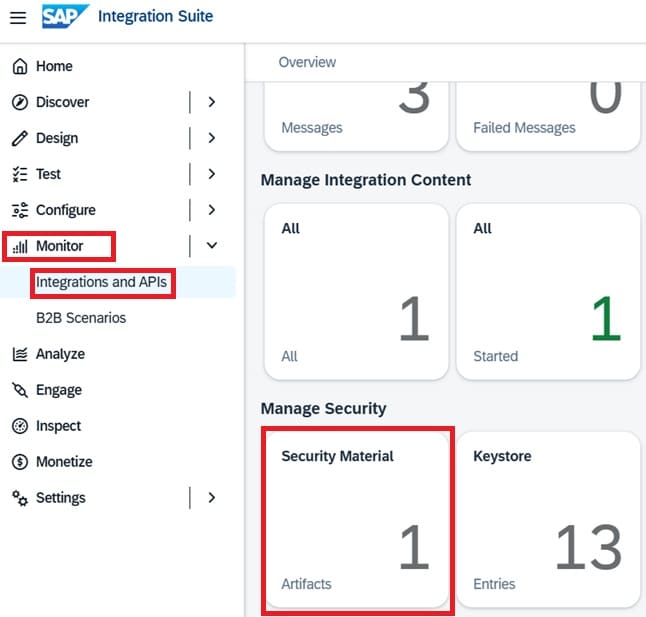
To add User Credential on SAP Integration Suite, please follow the following procedure. Log in to SAP Integration Suite. At left pane menu drop down "Monitor" -> "Integrations and APIs" -> Manage Security -> Click on Security Material:
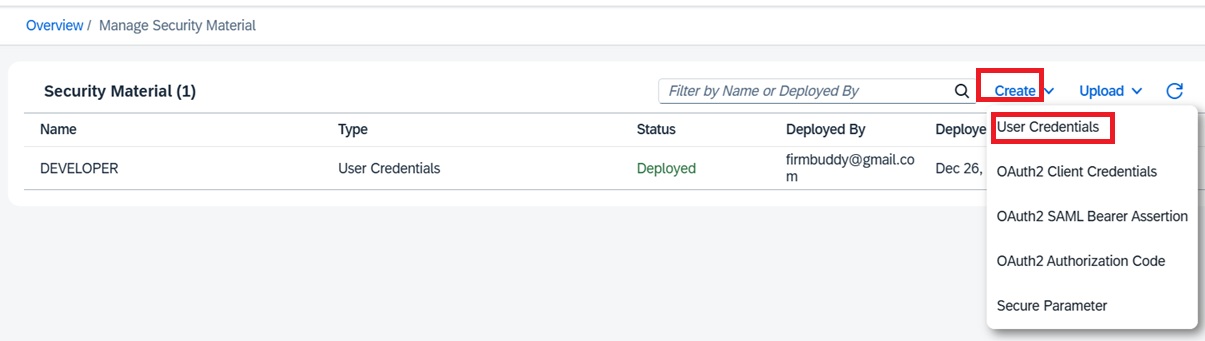
Click on dropdown button "Create" -> "User Credentials".
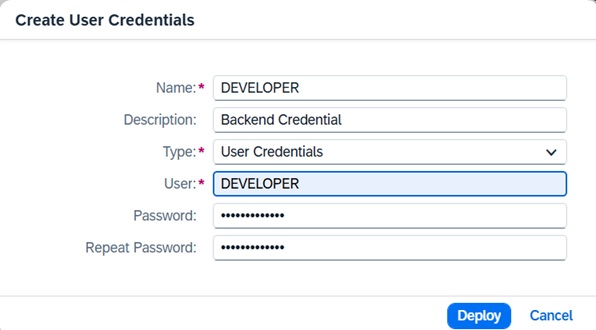
Fill in all input text boxes and click "Deploy"