Integration Suite - Setup Free Trial Tenant
Published: December 2025
Create BTP Trial Account
This document assumes that an SAP BTP trial account is already available and fully provisioned. If this is not the case, the account can be created by following the instructions provided in this link.
Enable SAP Integration Suite
Go to SAP BTP Trial Account ...
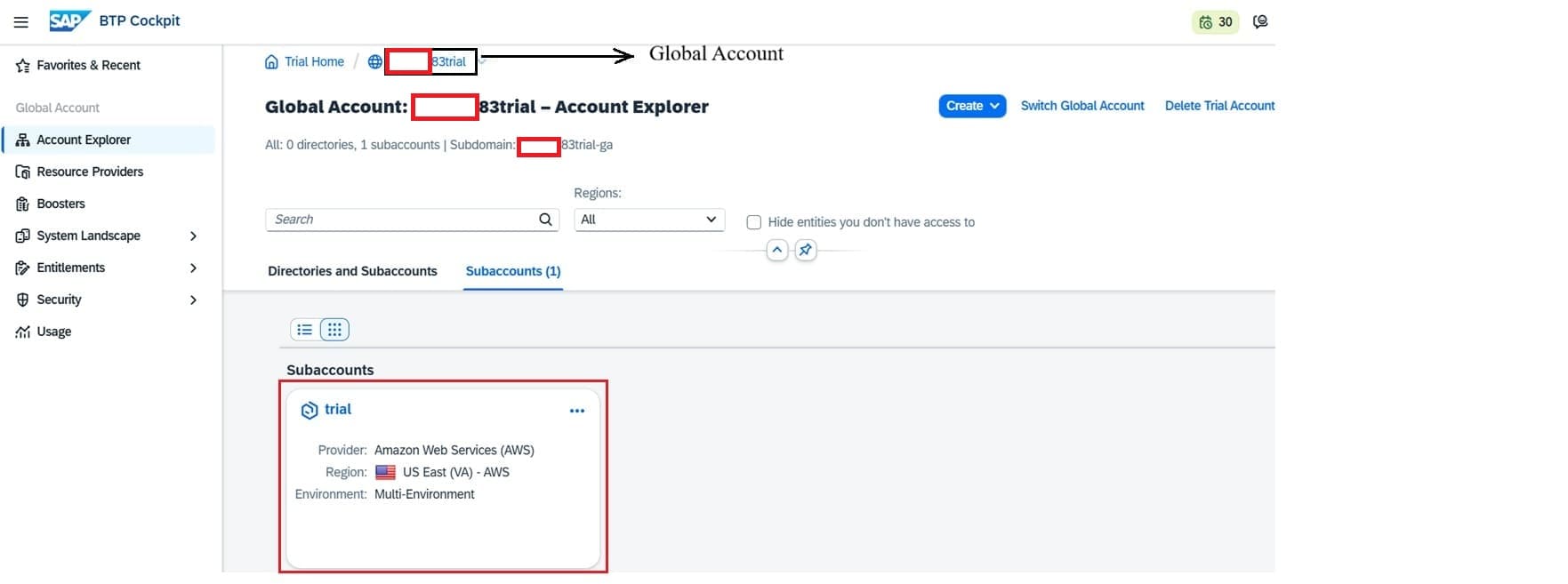
Click on trial Subaccount
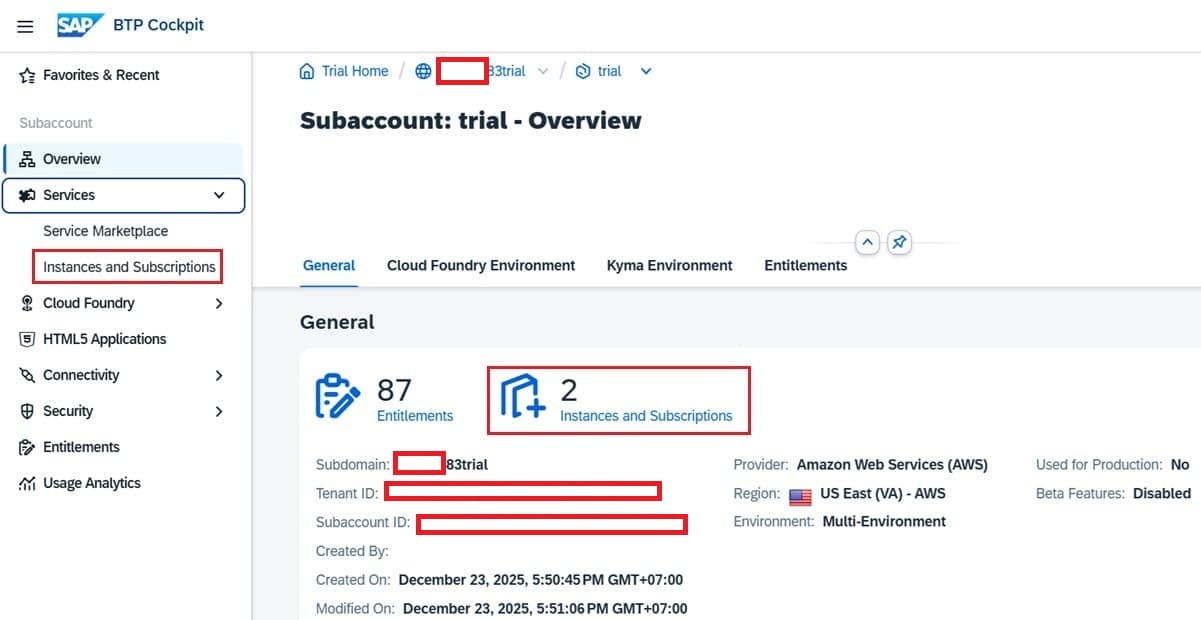
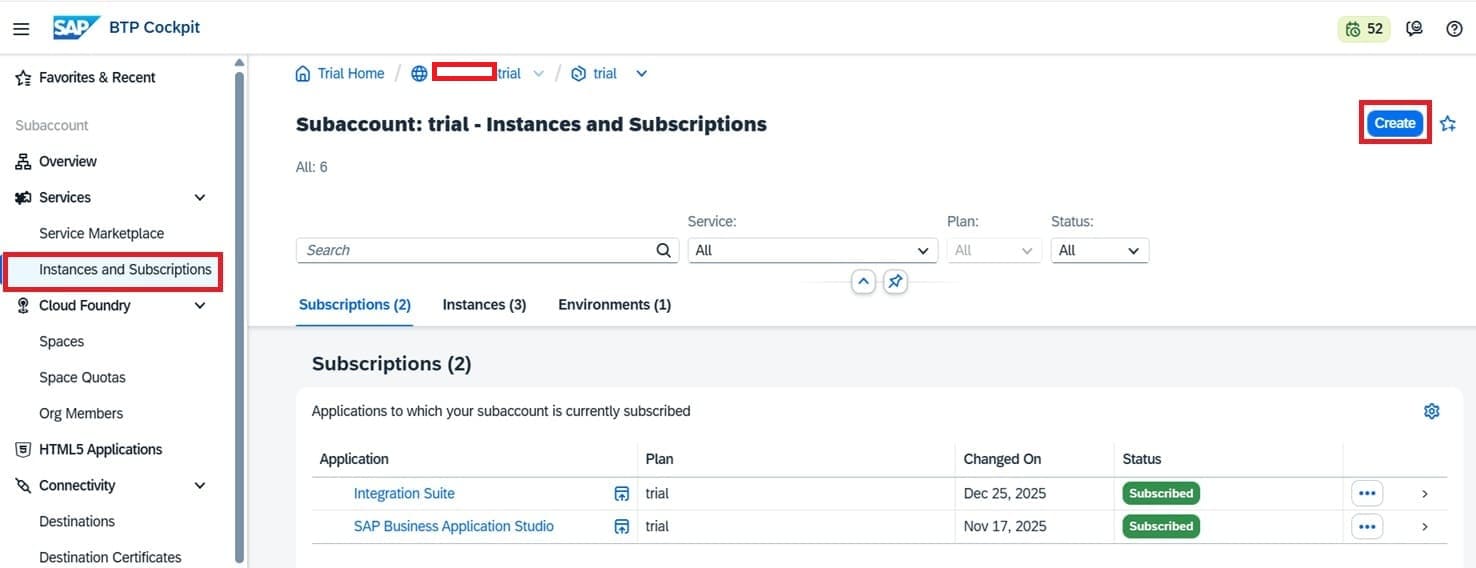
Click on "Instances and Subscriptions"
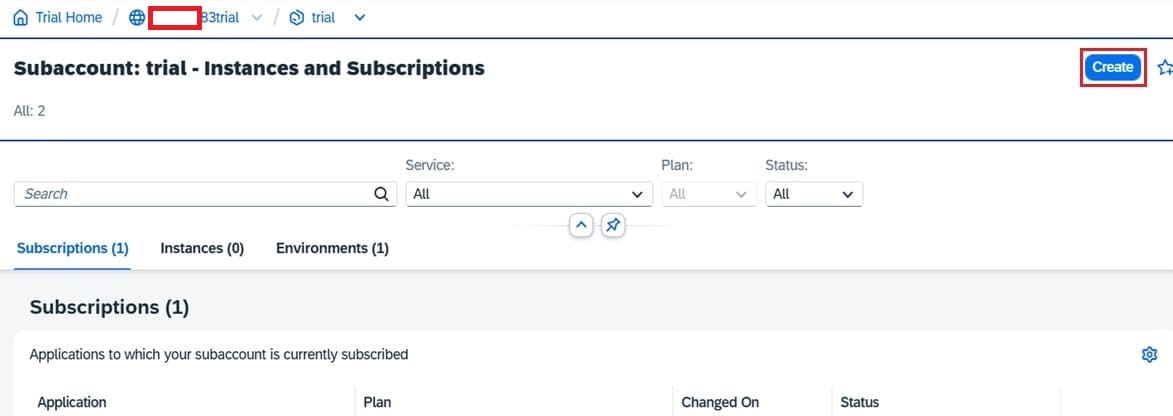
Click on "Create" button
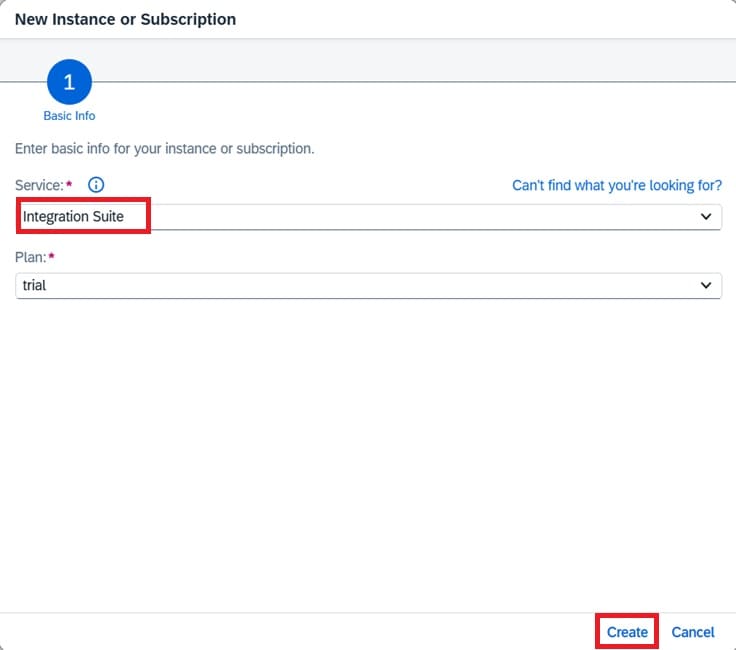
Select Service "Integration Suite" and click "Create" button. Integration suite is added to BTP trial account.
Integration Suite Setup
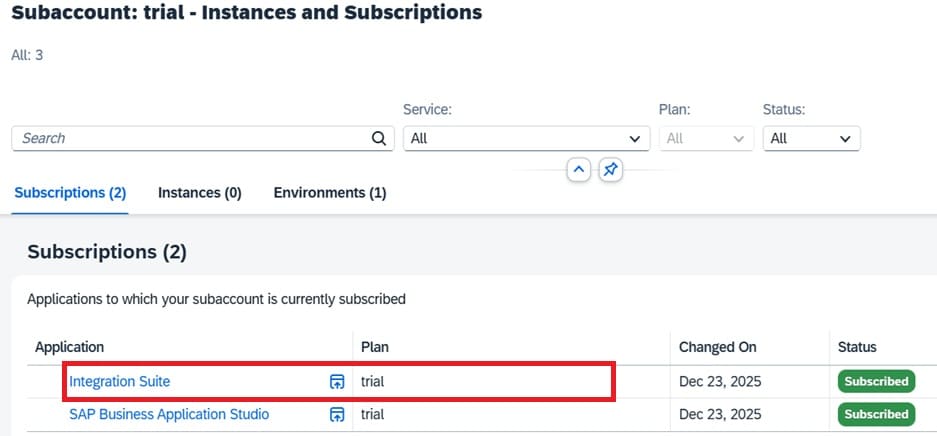
Select "Integration Suite". Integration Suite page shows no access message as below:
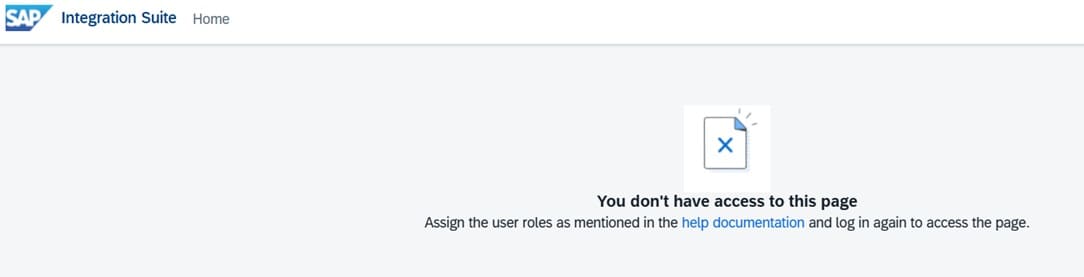
To solve the issue, go back to https://account.hanatrial.ondemand.com/. Click on Security -> Users (left pan)
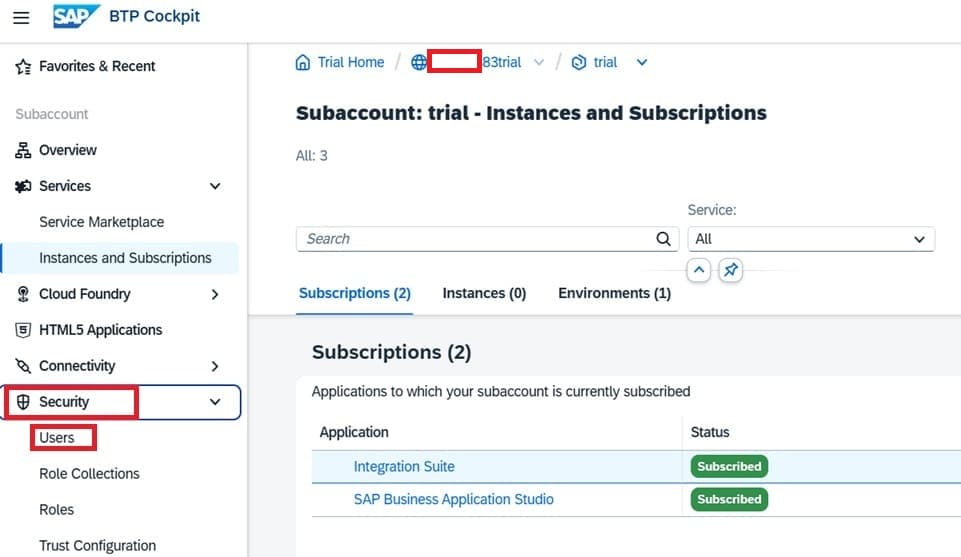
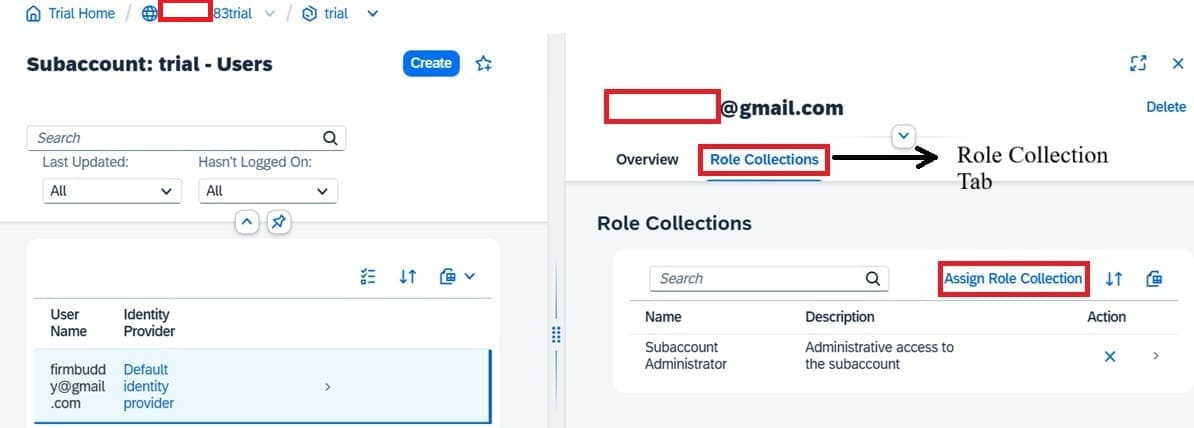
Select the respective user name

Select "Role Collection" tab. Click on "Assign Role Collection" button.
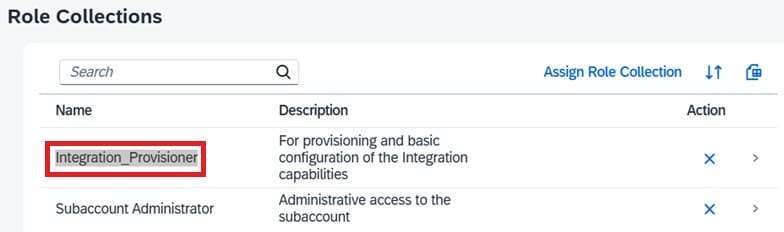
Add Role Collection "Integration_Provisioner".
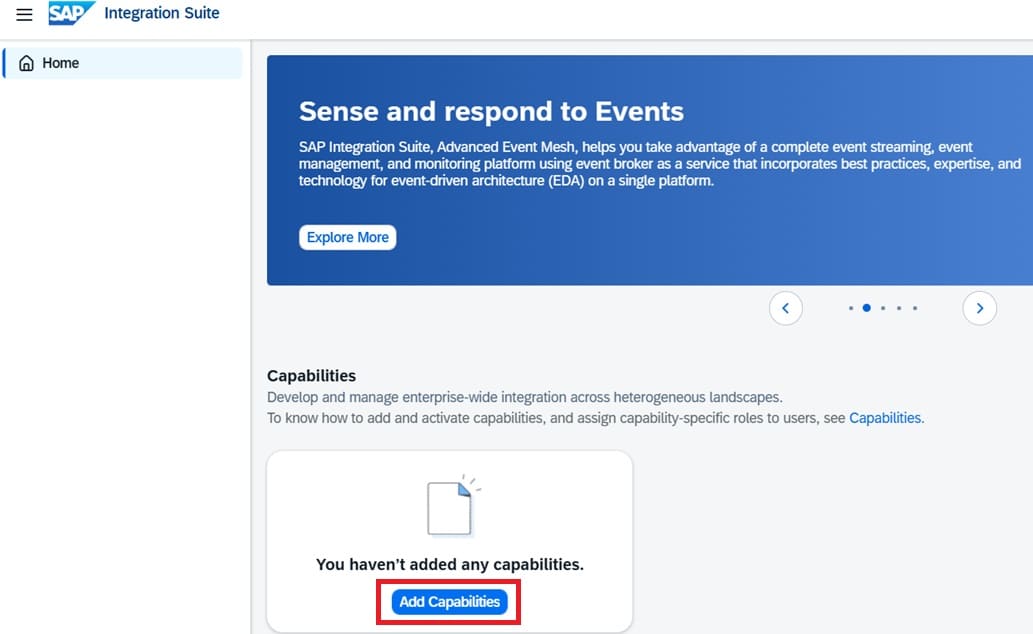
Back to Integration Suite. Click on "Add Capabilities" button.
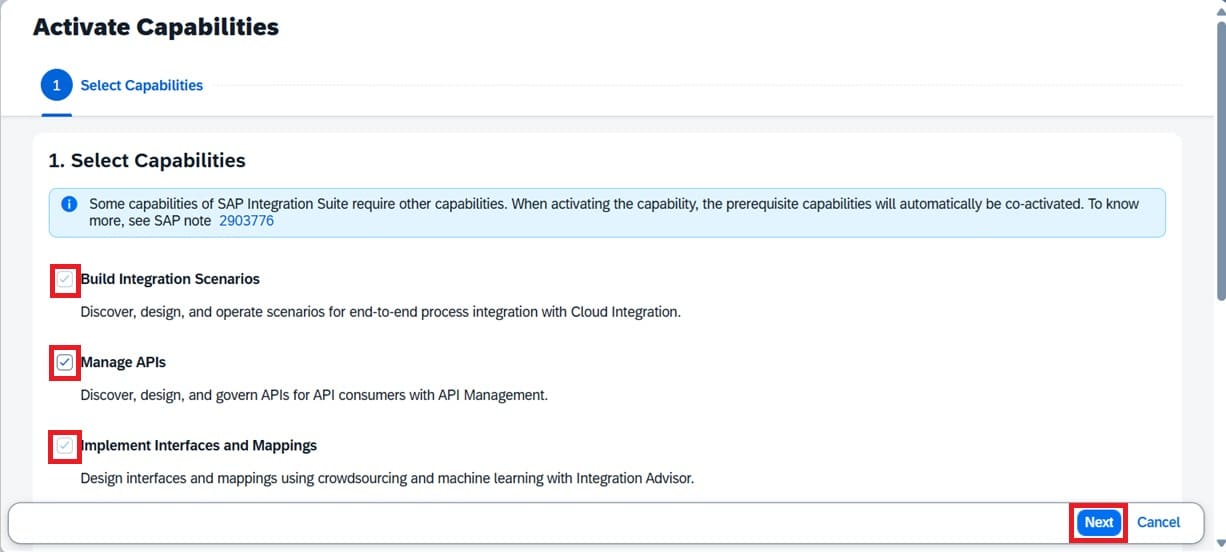
Select all required Capabilities and click "Next" button.
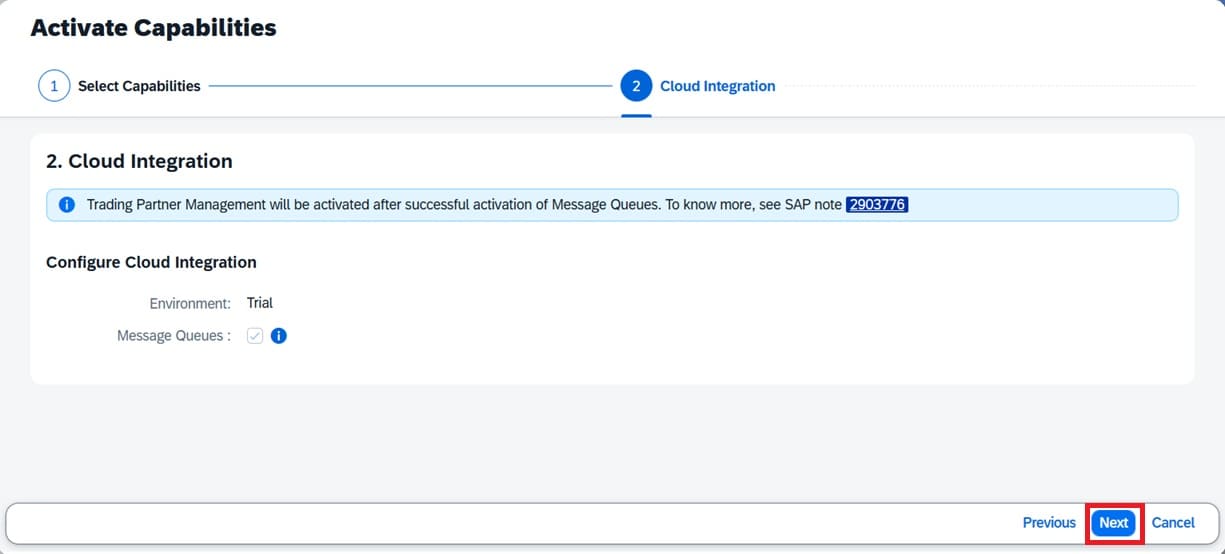
Click Next.
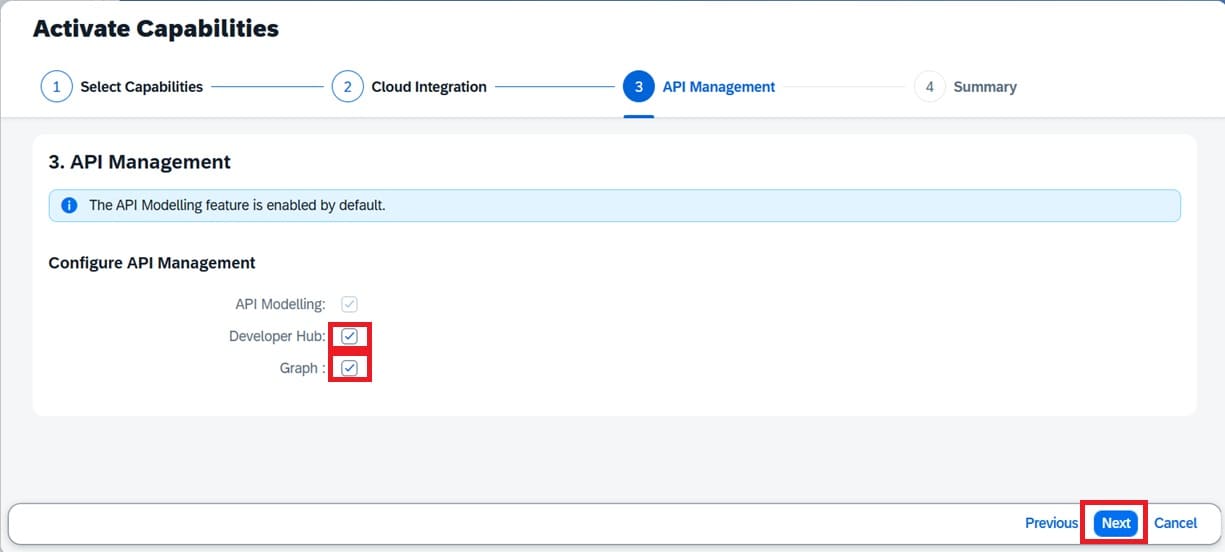
Select "Developer Hub" and "Graph". Click Next.
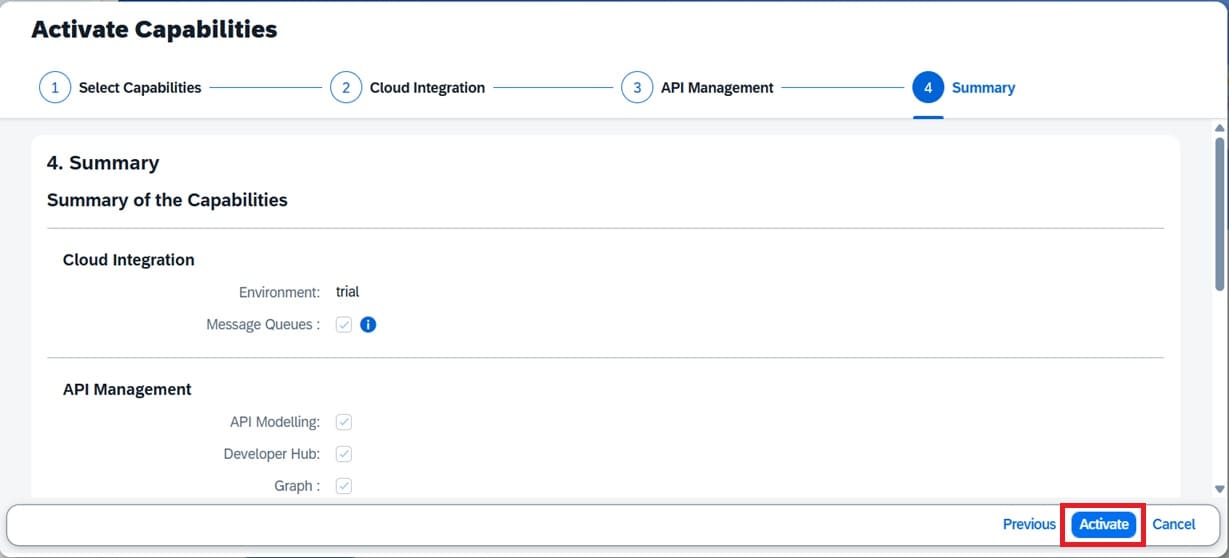
Click "Activate"
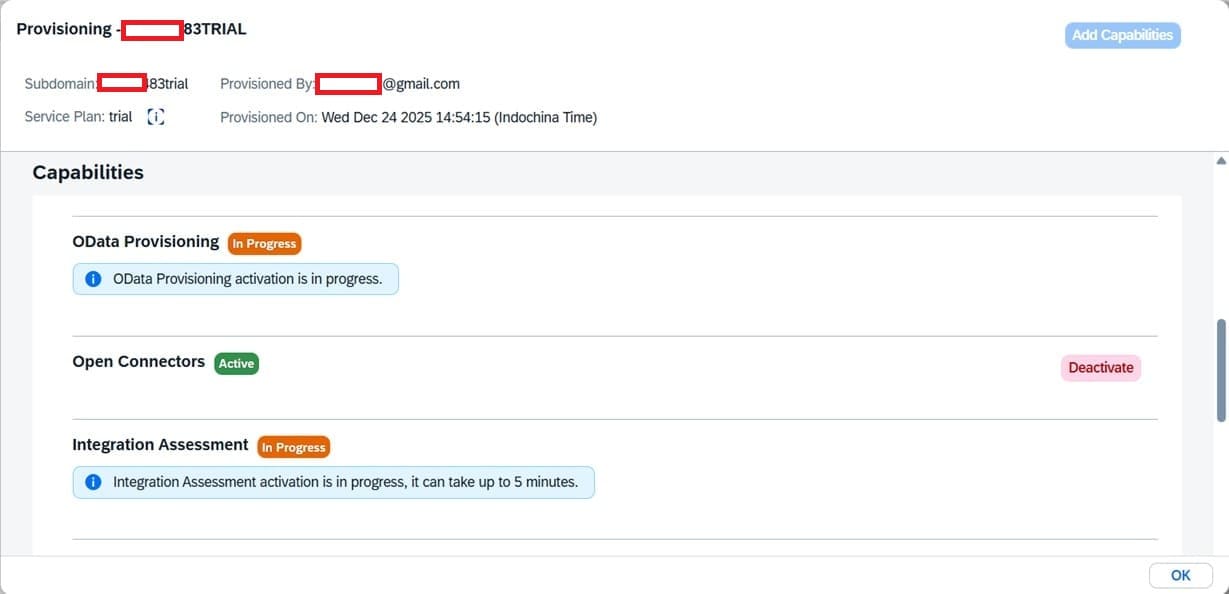
Wait until all capabilities activated
When it's done exit completely from Integration Suite. This is how it looks after the addition. The left menu pan is blank. This is due to lack of role collection added. Additional role collections also added automatically upon the addition.
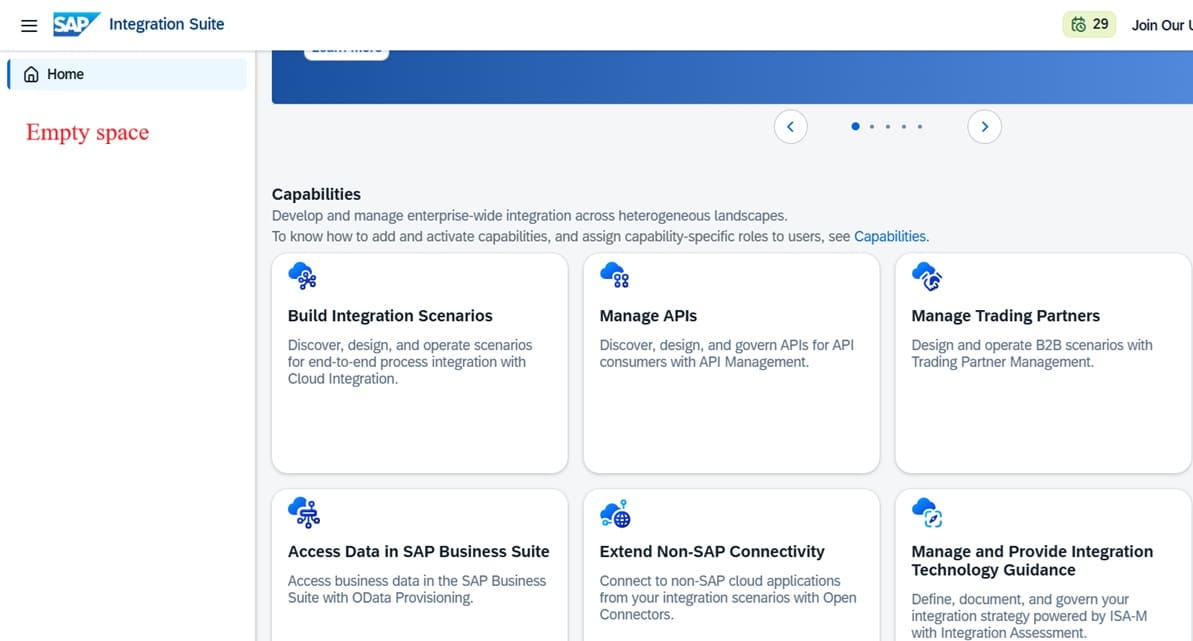
Go back to SAP BTP Trial Account. Add the following role collections just like the first role collection added earlier, here.
| Role Collection | Purpose |
|---|---|
| PI_Administrator | Full administrative access for Cloud Integration |
| PI_Integration_Developer | Developer-level access for building integration constructs |
| PI_Business_Expert | Business-oriented integration user |
| PI_Read_Only | Read-only access to view Cloud Integration content and monitoring |
| APIManagement.SelfService.Administrator | Primary administrative access to the API Management capability |
| AuthGroup.SelfService.Admin | Supports onboarding and self-service API tasks |
| APIPortal.Administrator | Admin access to API Portal features |
| APIPortal.Guest | Basic read/guest API Portal access |
| AuthGroup.API.Admin | Role for higher-level API hub administrative actions (platform-focused) |
| AuthGroup.API.ApplicationDeveloper | For developers building API proxies/applications |
| AuthGroup.APIPortalRegistration | Controls portal registration functions |
| AuthGroup.Site.Admin | Site-level admin operations for API business hub and portal |
| AuthGroup.ContentAuthor | Content management roles for API documentation and business hub artifacts |
This is how it looks after role collections addition. Click Settings -> Runtime, wait until activation page shown.
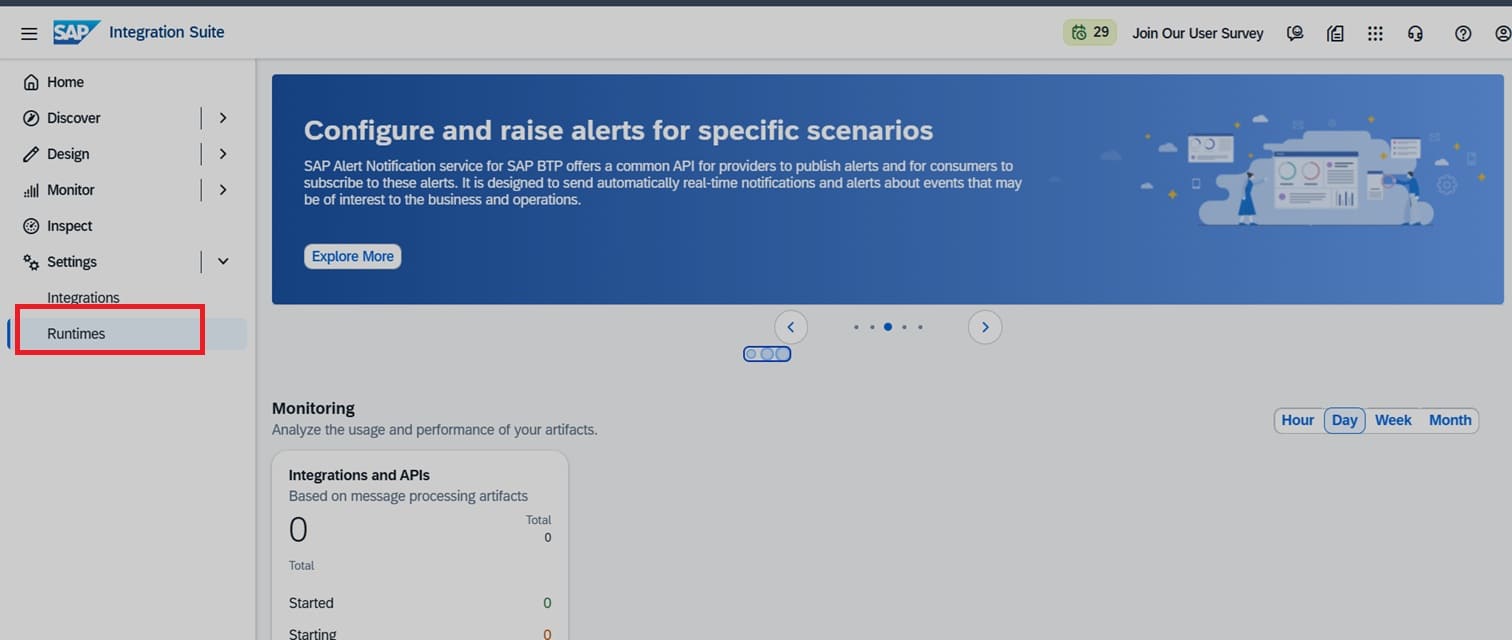
Activate ...
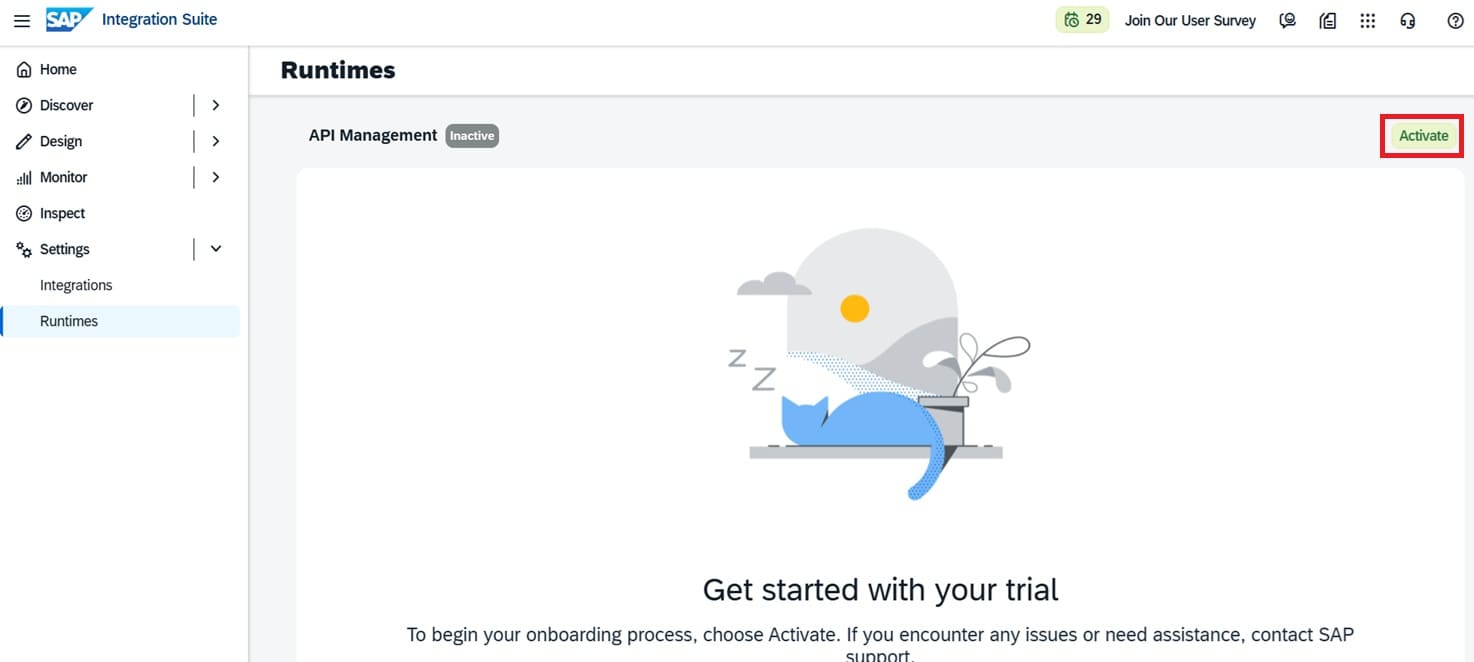
Wait until done
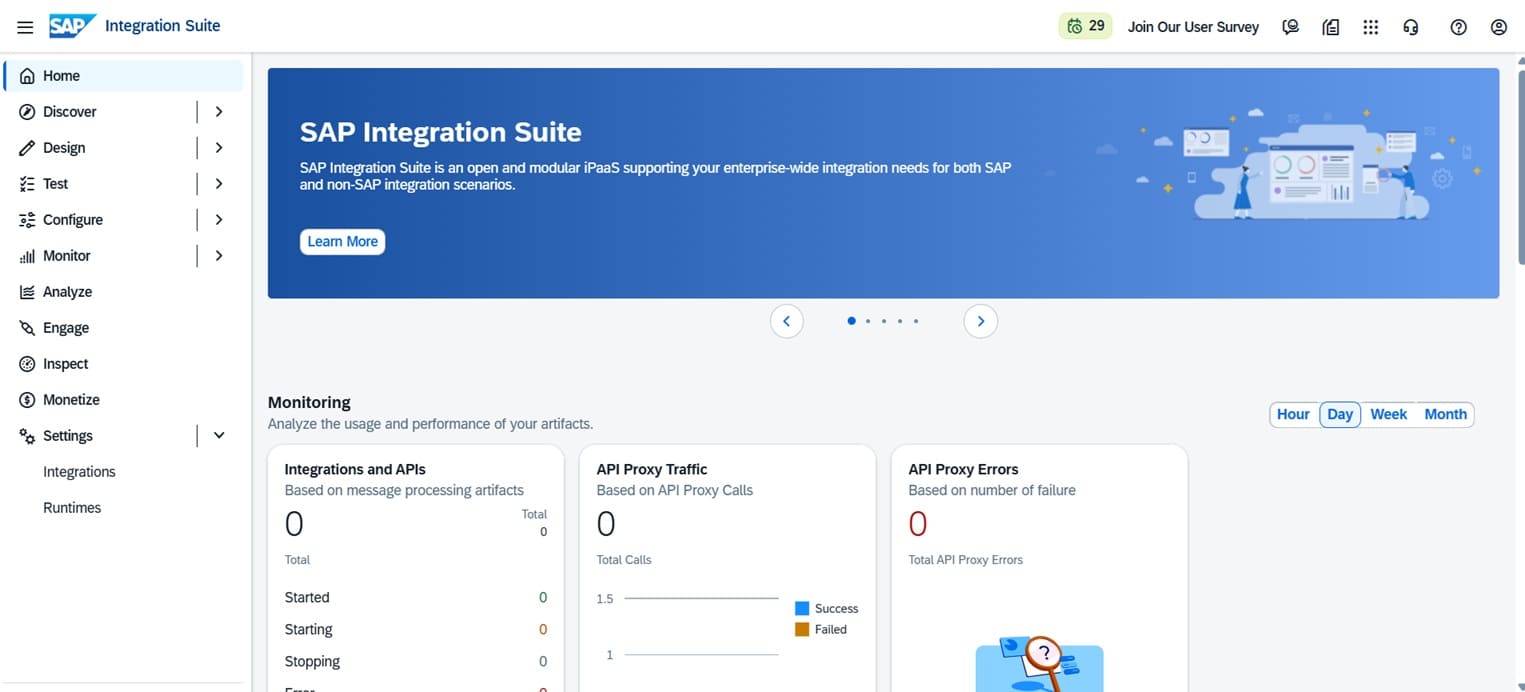
Add SAP Process Integration Runtime
Integration-Flow
Go back to SAP BTP Trial Account. Click on "Instances and Subscription" and click "Create" button.
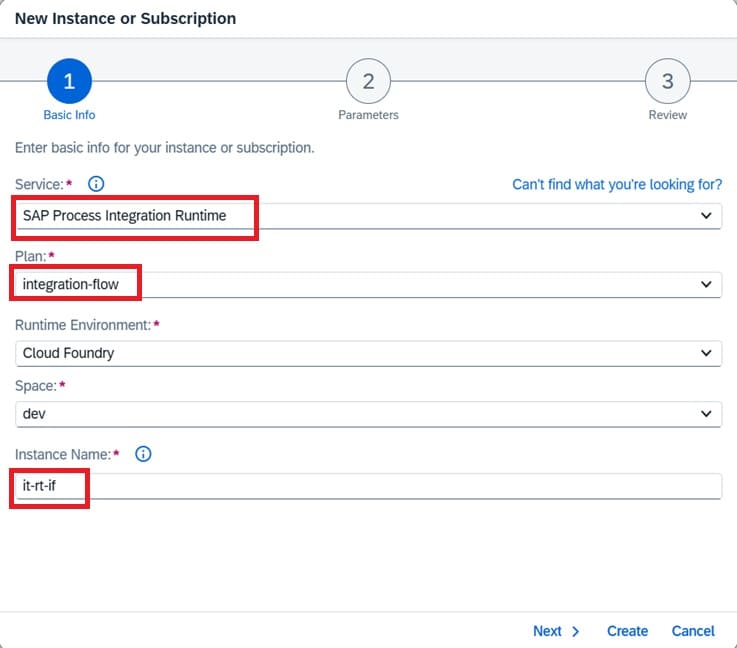
Select "SAP Process Integration Runtime" from dropdown for service. Select "integration-flow" from another dropdown. Give any name as an Instance Name. Click "Next", "Next" again and "Create".
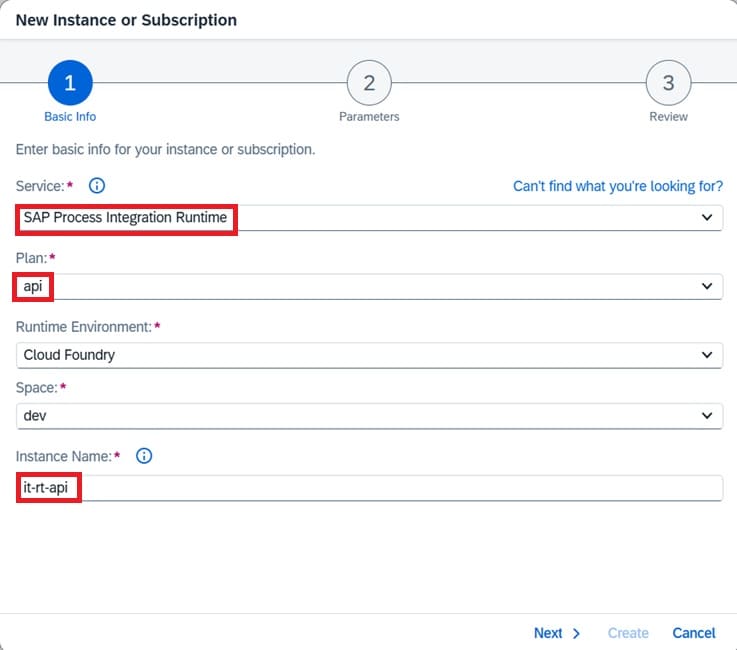
API
Please follow the same procedure used for the Integration-Flow above when adding SAP Process Integration Runtime API.
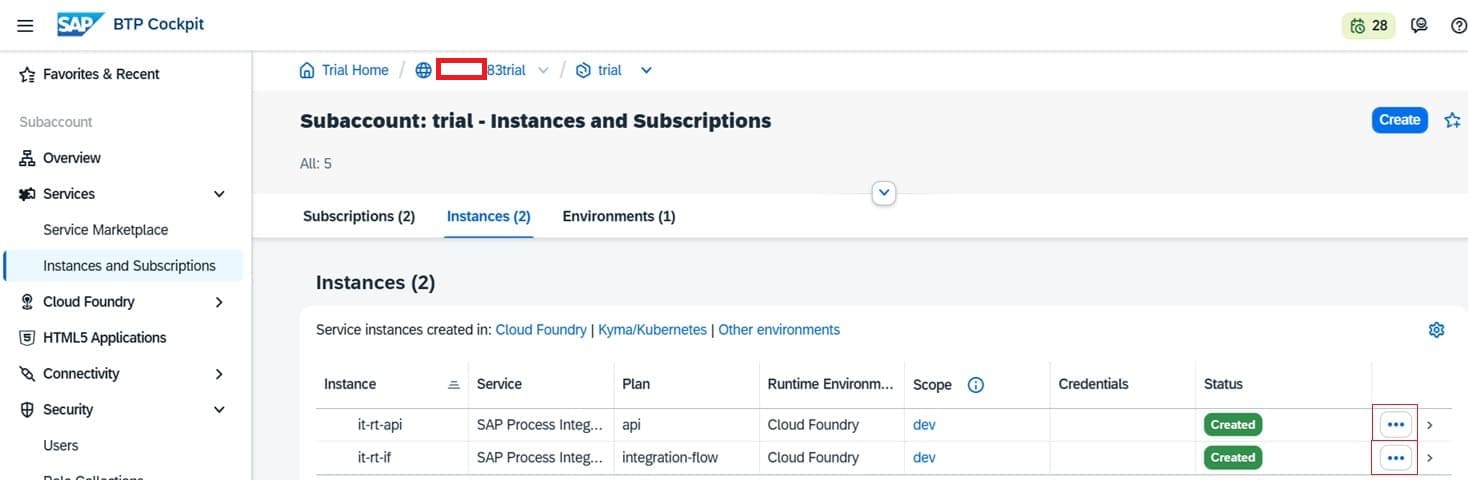
The two SAP Process Integration Runtime resulted might be looked as follow:
Create Service Key
SAP Process Integration Runtime API Service Key
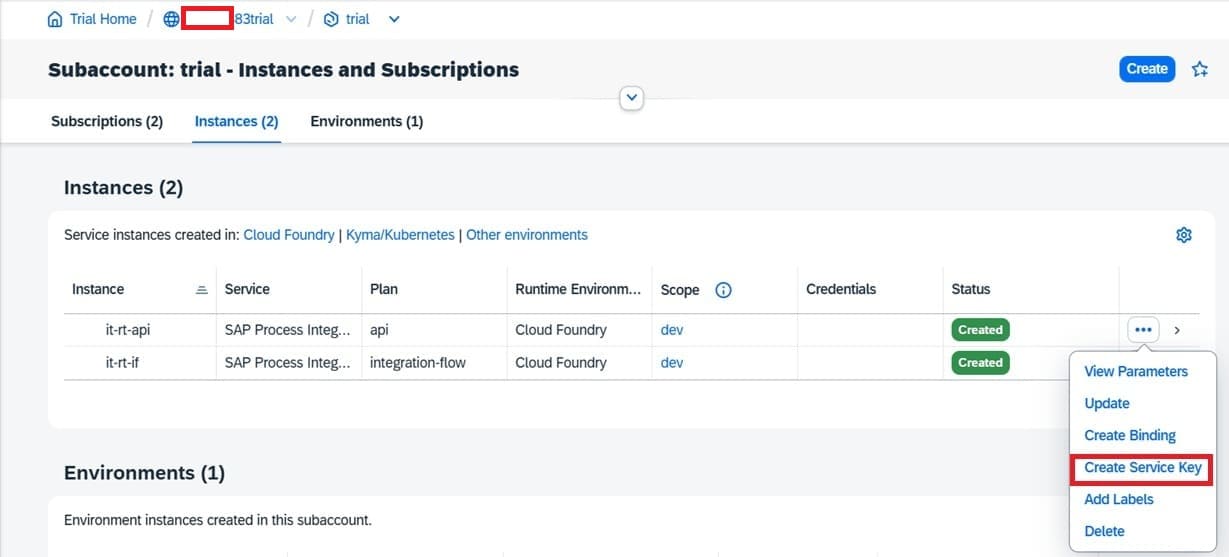
Service key is used as a credential when accessing Integration Suite objects either Integration Flow or Integration Suite API. To create a service key click on three dots (...) of the screen as shown on the figure above. The dropdown menu popped out, select "Create Service Key".
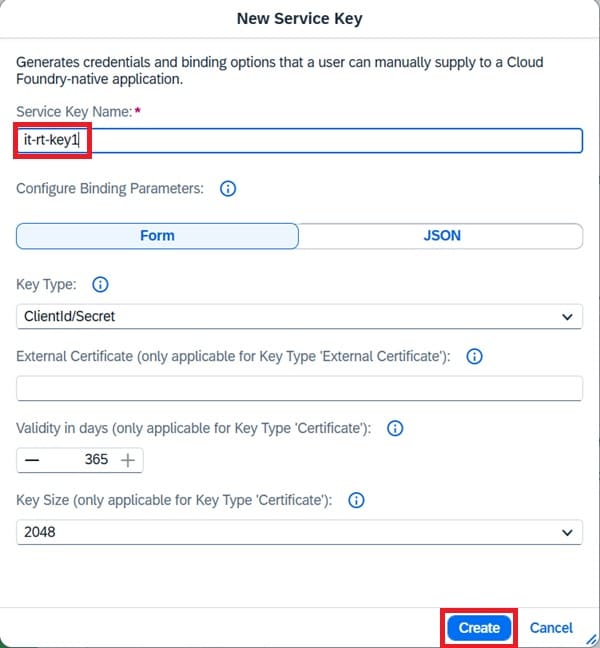
Key in "Service Key Name" and click "Next".
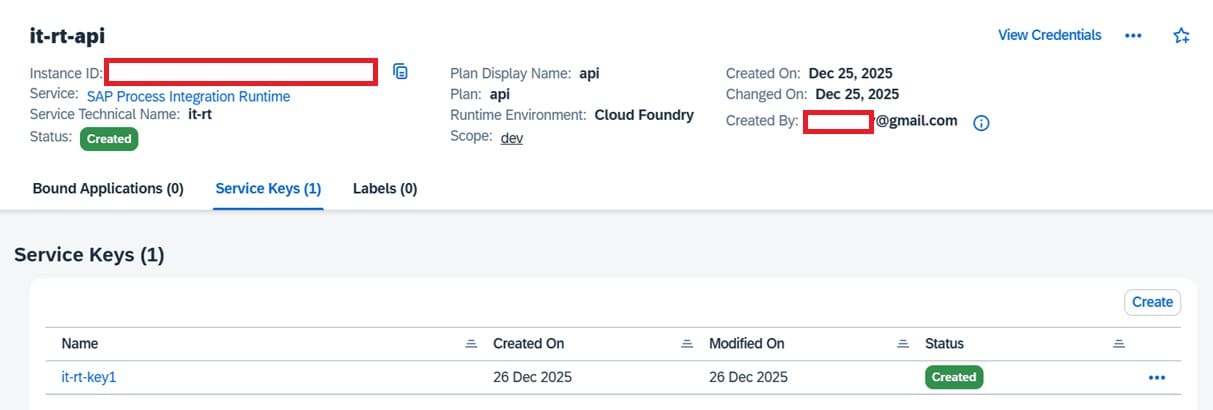
SAP Process Integration Runtime Integration-Flow Service Key
Repeat the same procedure as above for Integration-Flow to create iFlow Service Key.
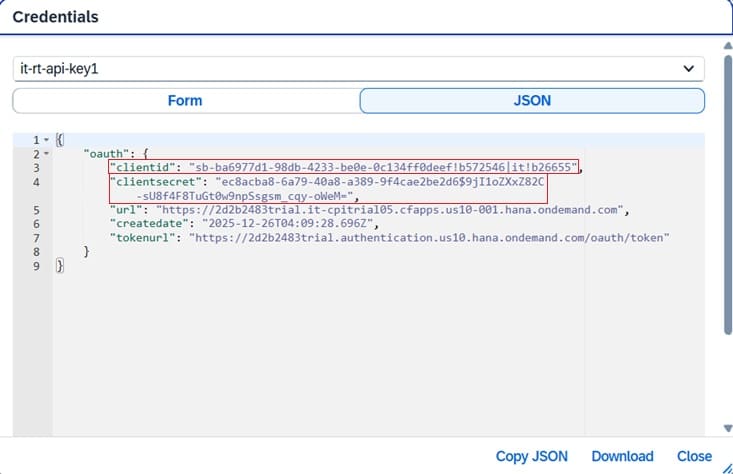
Inside Service Key
To see detail of the key, click on respective key.
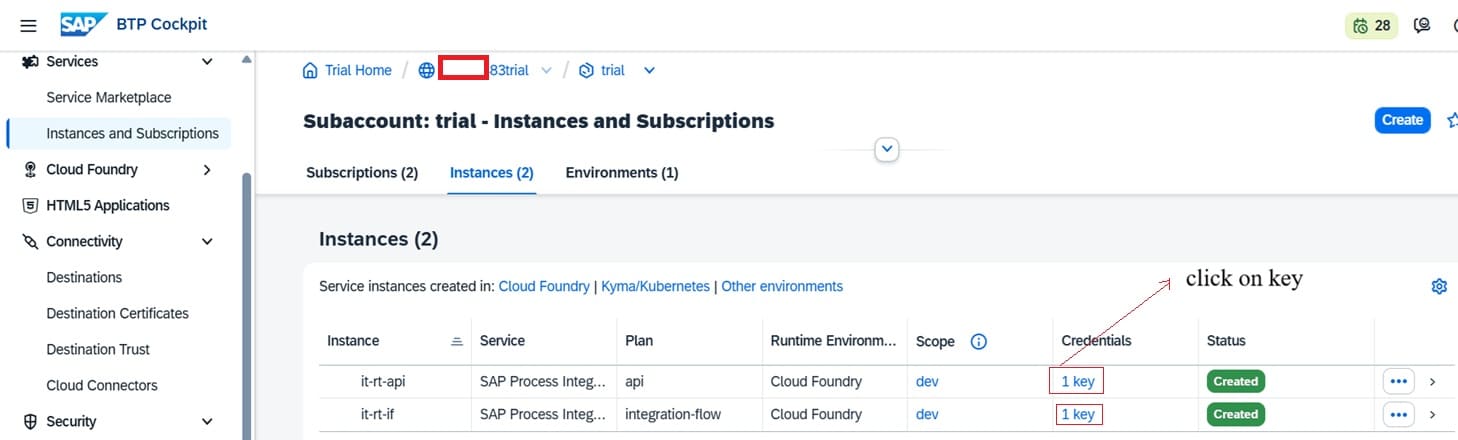
Service key basically is a OAuth credential. Logging in process uses "clientid" and "clientuser" as credential. How this is used in Postman shows in the following link.