Integration Suite - Inbound IDOC On Prem through iFlow
Published: January 2026
IDoc is one of the oldest proprietary data exchange formats in the SAP ecosystem. Despite the evolution of SAP technologies and the introduction of SAP Business Technology Platform (BTP), IDoc remains a widely used and fully supported integration mechanism. In modern integration landscapes, IDocs can be seamlessly processed through SAP Integration Suite, enabling connectivity between SAP and non-SAP systems in both hybrid and cloud-based architectures. This document provides a detailed, step-by-step guide on how to configure and access inbound IDoc processing using SAP Integration Suite.
This document assumes that SAP Integration Suite trial tenant is already available and fully provisioned. If this is not the case, please follow the instructions provided in this link.
To ensure the availability of the IDOC in the ABAP Cloud Trial system, the IDoc used in this document (SAP CI to SAP ERP) is shown below:
| Message Type | FLCUSTOMER_CREATEFROMDATA |
| IDOC Type | FLCUSTOMER_CREATEFROMDATA01 |
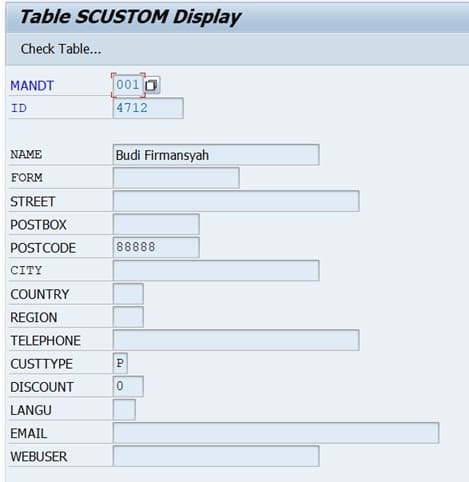
This IDOC insert entry into table SCUSTOM.
Get IDOC WSDL
Report to run: SRT_IDOC_WSDL_NS
- Download IDOC WSDL
- In WSDL, set IDOC occurrence to unbounded (maxOccurs="unbounded")
- In WSDL, remove all tns:
- In WSDL, remove targetNamespace
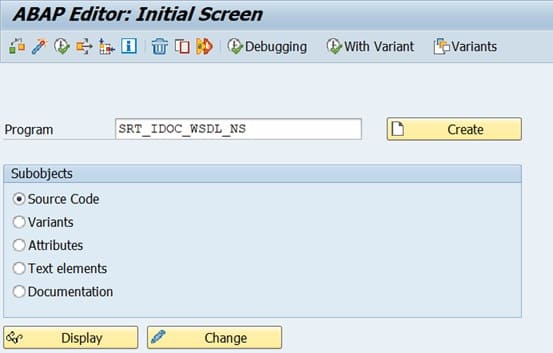
Click "Execute" button.

At the end of WSDL look for section similar to the following:
<xsd:element name="FLCUSTOMER_CREATEFROMDATA01">
 <xsd:complexType>
  <xsd:sequence>
   <xsd:element name="IDOC" type="tns:FLCUSTOMER_CREATEFROMDATA.FLCUSTOMER_CREATEFROMDATA01"/>
  </xsd:sequence>
 </xsd:complexType>
</xsd:element>
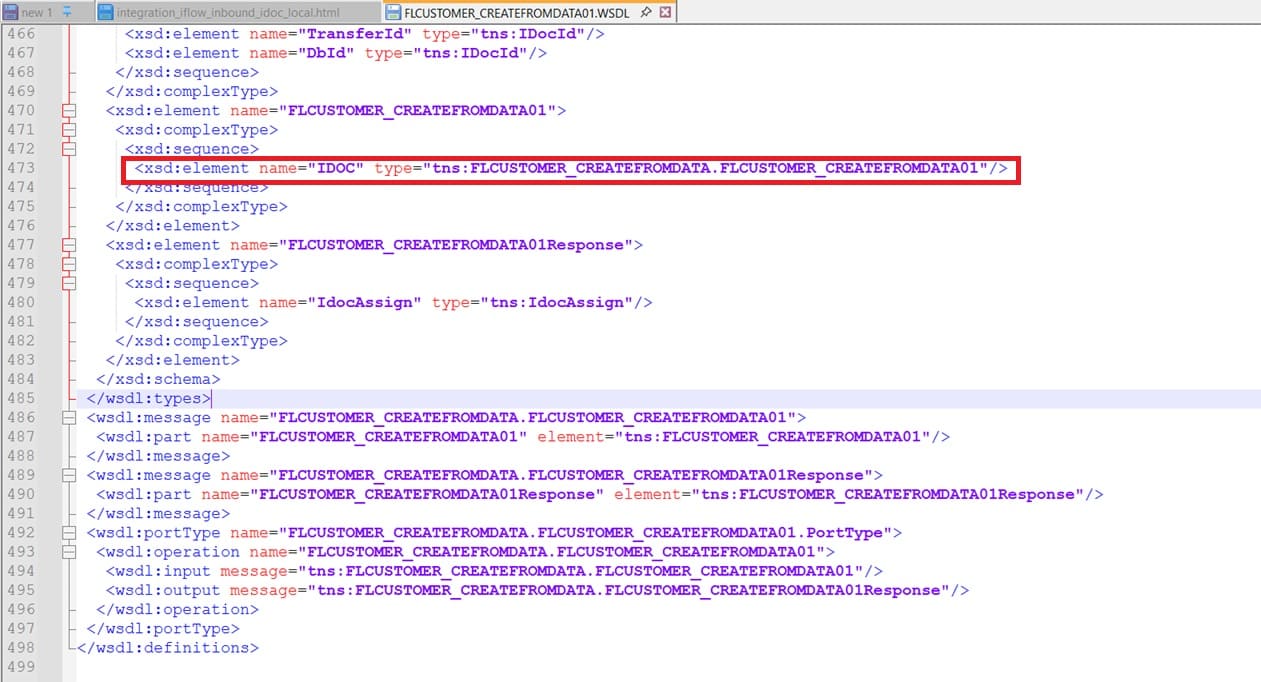
Add maxOccurs="unbounded". The line to be changed to:
<xsd:element name="IDOC" type="tns:FLCUSTOMER_CREATEFROMDATA.FLCUSTOMER_CREATEFROMDATA01" maxOccurs="unbounded"/>

Reference:
Create iFlow Send IDOC to SAP ERP
| Package name | IDOC |
| Iflow name | Send_IDOC_to_A4H_FLCUSTOMER_CREATEFROMDATA |
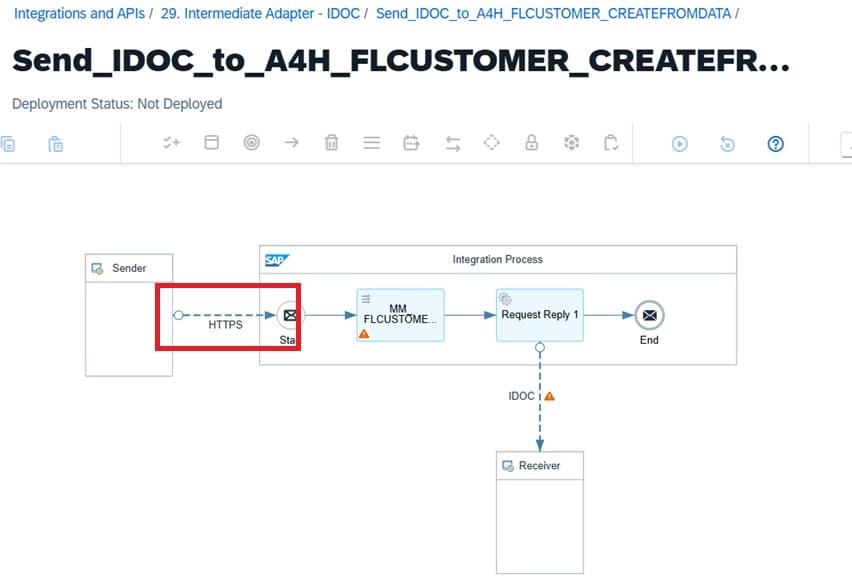
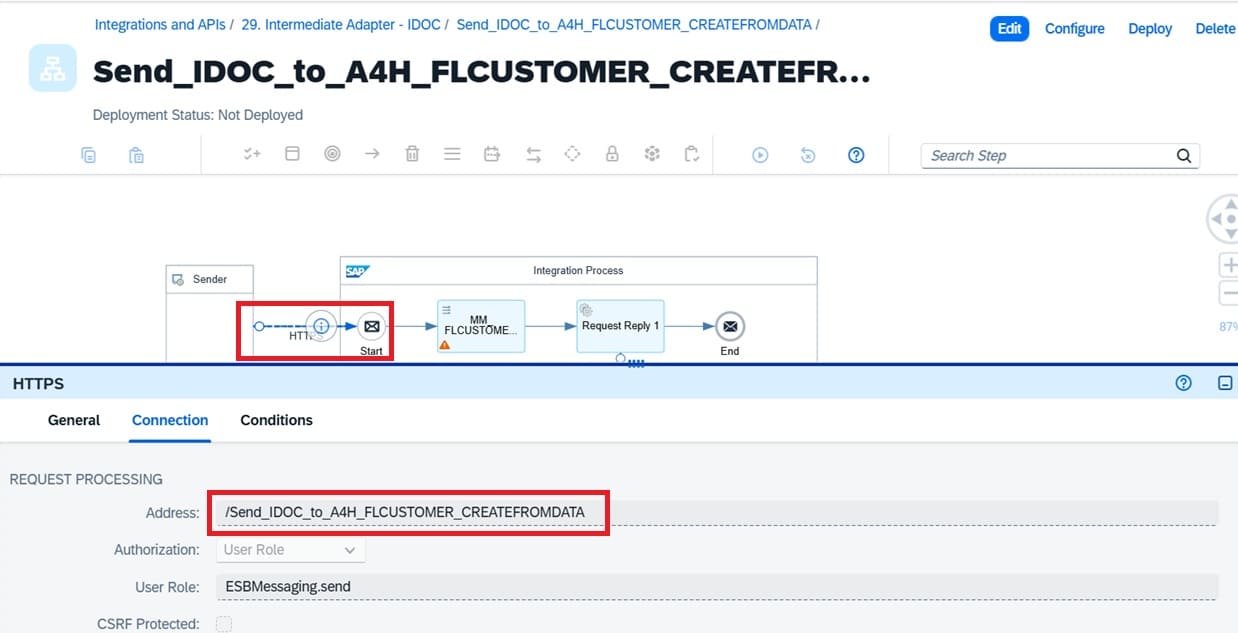
| Sender http path | /Send_IDOC_to_A4H_FLCUSTOMER_CREATEFROMDATA |
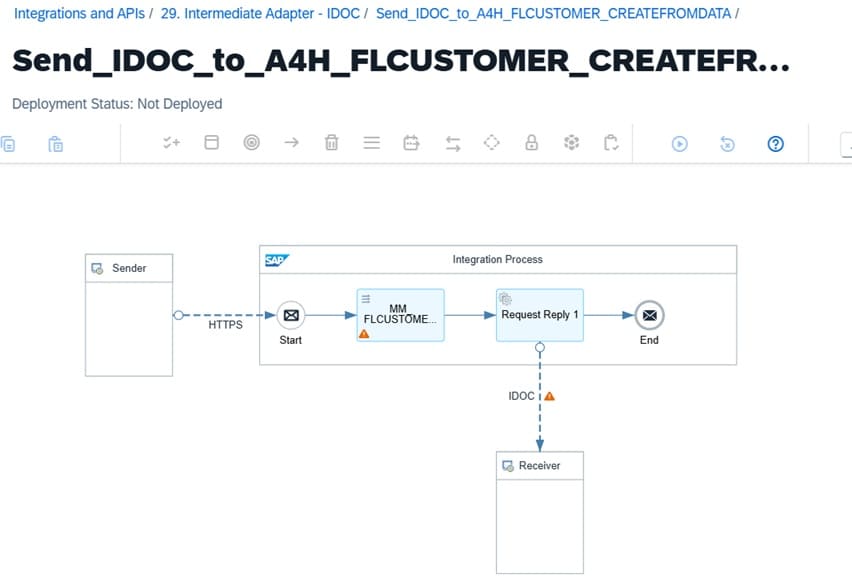
HTTPS Adapter
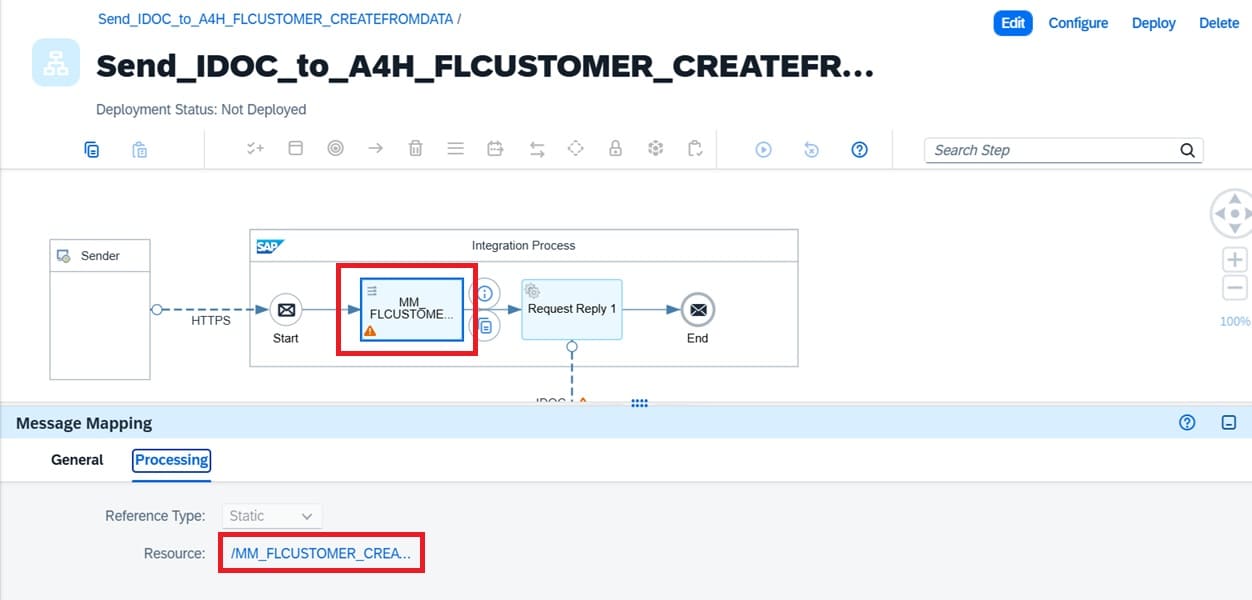
Message Mapping

<?xml version="1.0" encoding="UTF-8"?>
<FLCUSTOMER_CREATEFROMDATA01>
	<IDOC BEGIN="1">
		<EDI_DC40 SEGMENT="1">
			<TABNAM>EDI_DC40</TABNAM>
			<IDOCTYP>FLCUSTOMER_CREATEFROMDATA01</IDOCTYP>
			<MESTYP>FLCUSTOMER_CREATEFROMDATA</MESTYP>
			<SNDPOR>SAPCI</SNDPOR>
			<SNDPRT>LS</SNDPRT>
			<SNDPRN>SAPCI</SNDPRN>
			<RCVPOR>SAPA4H</RCVPOR>
			<RCVPRT>LS</RCVPRT>
			<RCVPRN>A4HCLNT001</RCVPRN>
		</EDI_DC40>
		<E1SCU_CRE SEGMENT="1">
			<E1BPSCUNEW SEGMENT="1">
				<CUSTNAME>Jon Snow</CUSTNAME>
				<POSTCODE>88888</POSTCODE>
				<CUSTTYPE>P</CUSTTYPE>
			</E1BPSCUNEW>
		</E1SCU_CRE>
	</IDOC>
</FLCUSTOMER_CREATEFROMDATA01>
Receiver IDOC Adapter
| Address | http://sap-a4h-virtual-host:50000/sap/bc/srt/idoc?sap-client=001 |
| Proxy Type | On-Premise |
| Location ID | LEARN |
| IDOC Content Type | Application/x-sap.idoc |
| Authentication | Basic |
| Credential Name | DEVELOPER |
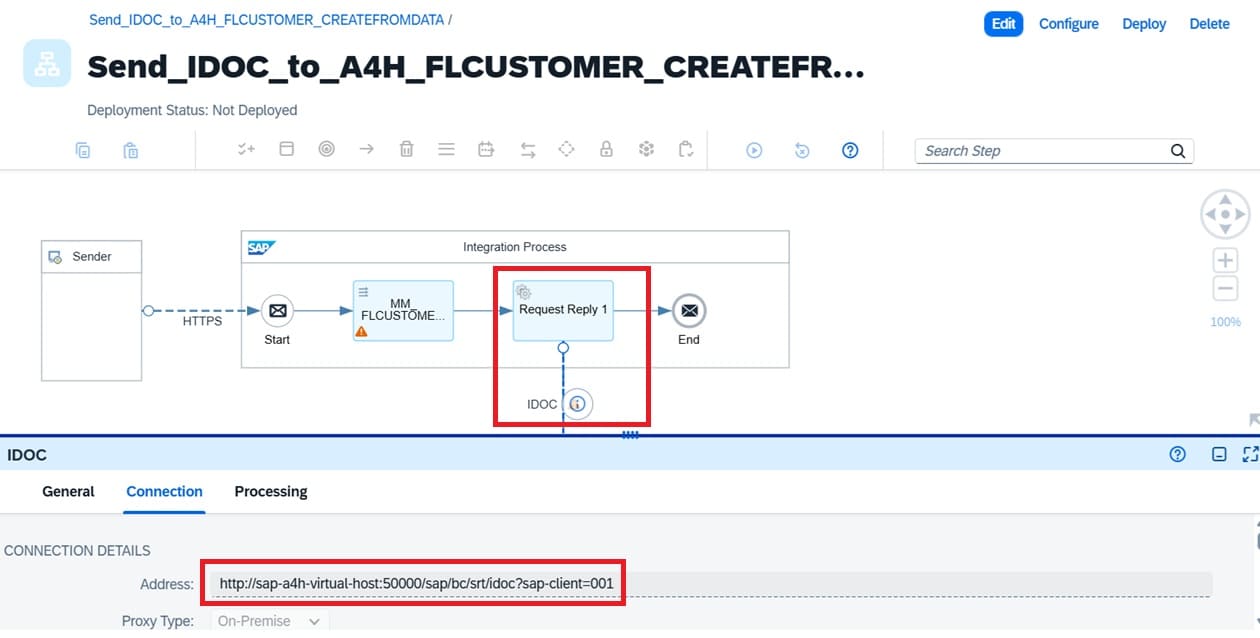
Necessary Step in SAP ERP
Add HTTP Resource in SAP Cloud Connector
This step solve error: "An internal server error occured: HTTP response '403: Forbidden. Access denied to resource /sap/bc/srt/idoc on system sap-a4h-virtual-host:50000"
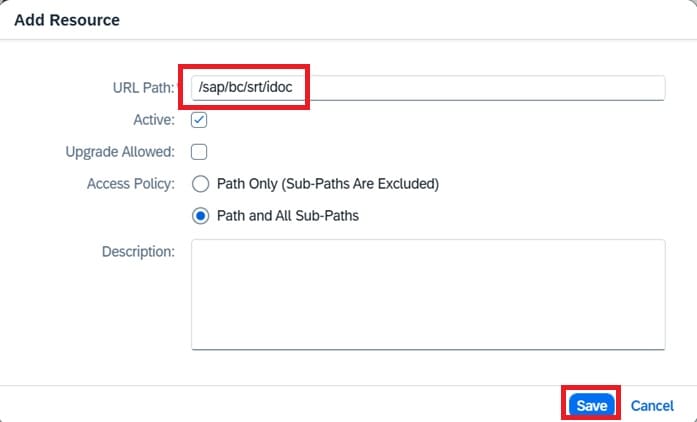
Activate SICF for post IDOC: /sap/bc/srt/idoc
This step solve error: "An internal server error occured: HTTP response '403: Forbidden."
Configure SRTIDOC (Register service for IDOC SOAP Runtime)
This step solve error: "An internal server error occured: Response was of unexpected text/html ContentType. Incoming portion of HTML stream: (none)."
Add Partner Profile (WE20)
This step solve error: "EDI: Partner profile does not exist" "A partner profile could not be found with the following key: /SAPCI/LS/"
| Partner No. | SAPCI |
| Partn.Type | LS |
| Ty. | User |
| Agent | DEVELOPER |
Add Logical System (Tcode SALE or BD54)
This step solve error: "Enter a valid partner number"
| Log.System | SAPCI |
| Name | SAP CI |
Add Inbound Message Type in Partner Profile (WE20)
This step solve error:
"EDI: Partner profile does not exist"
"A partner profile could not be found with the following key: /SAPCI/LS/"
| Message Type | FLCUSTOMER_CREATEFROMDATA |
| Process code | BAPI |
| Processing | Trigger immediately |
Run BD87 IDOC processing if Idoc stuck in status 64
Verify record added using tocde SE16 and table SCUSTOM
Done! You had success end-to-end new setup post Idoc to SAP till Idoc success processing in status 53.
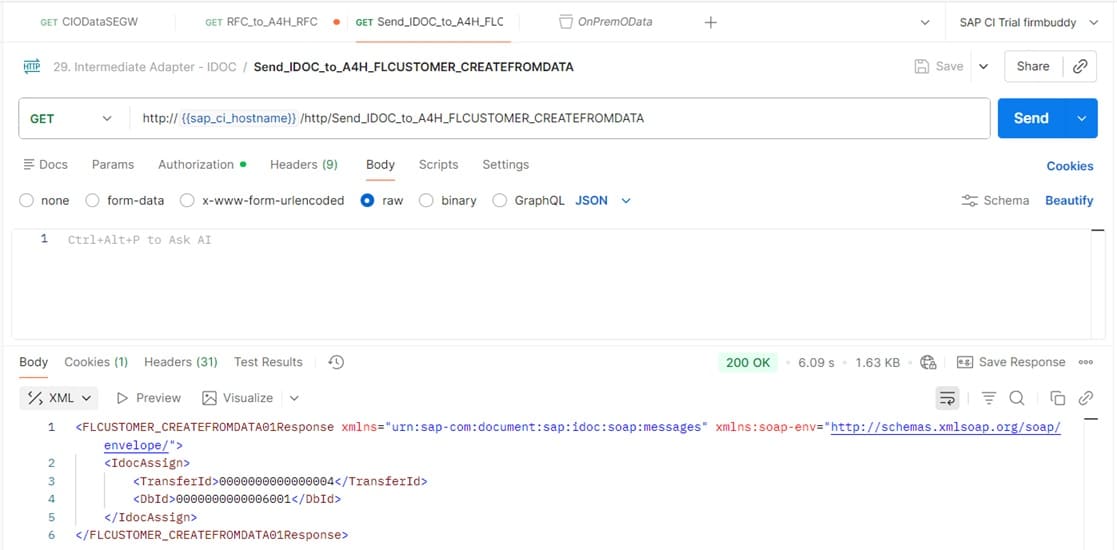
Test the iFlow